Your mix sounds muddy.
Kiyome knows exactly where
— and where not — to cut.
AI-powered de-mudding that removes low-mid buildup while preserving warmth. Zero latency. 13 instrument-specific models.
30-day trial · No credit card · One-time purchase · Free updates forever
AU & VST3 · macOS 11.0+ · Windows 10+ Already purchased? Download hereThe Name
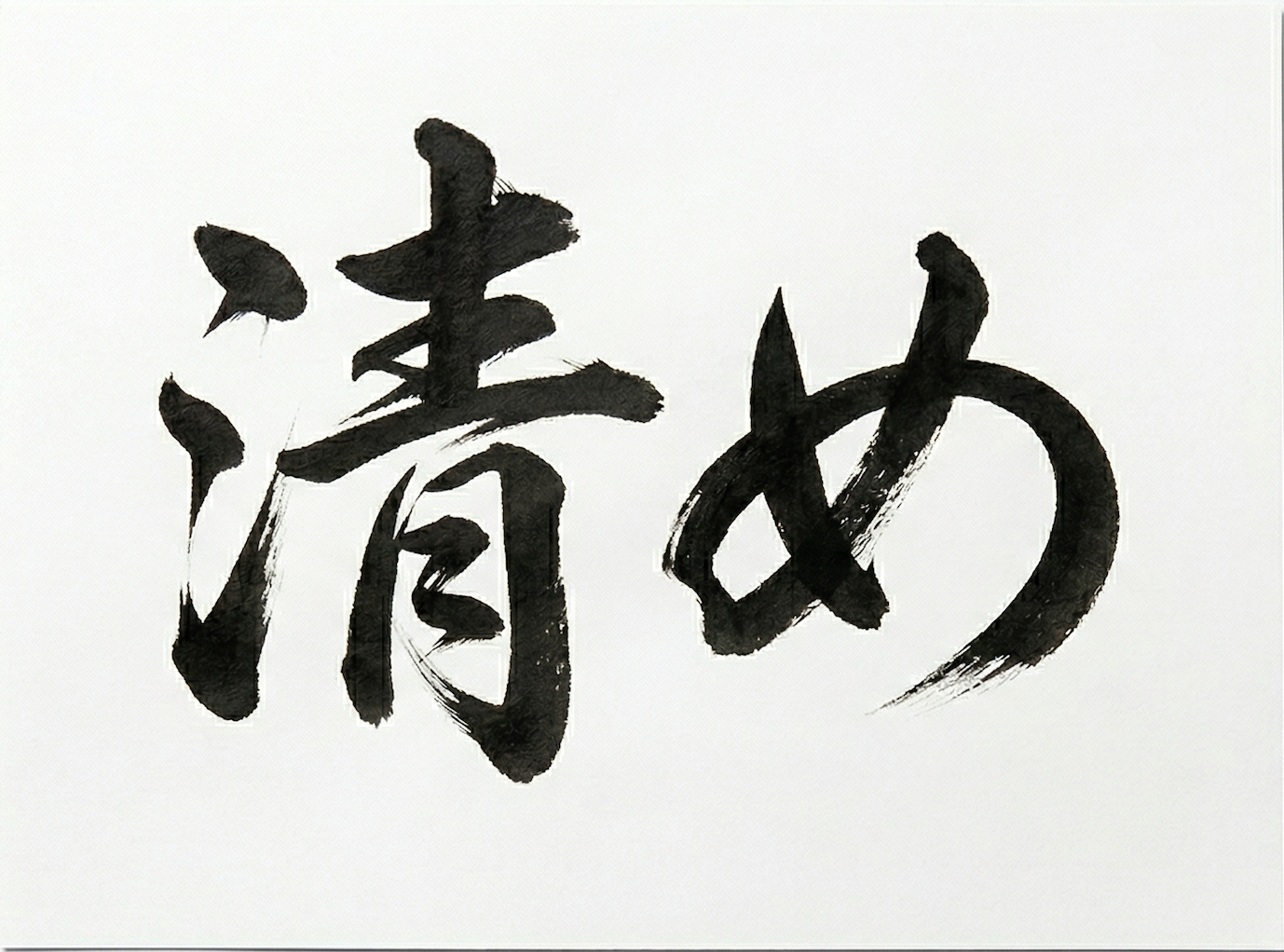
In Japanese tradition, 清め (kiyome) is the act of removing impurities while preserving what matters. A master craftsman doesn't destroy to rebuild — they carefully remove only what doesn't belong.
That's exactly what this plugin does to your mix. It finds the mud — and gently takes it away. The warmth, the body, the soul of your sound stays untouched.
Low-mid buildup between 60–900 Hz is the most common mixing problem.
Every instrument contributes energy in this range — vocals, guitars, keys, drums.
Stack them together and your mix turns into soup.
Manual EQ sweeping is tedious, inconsistent, and easy to overdo. Kiyome replaces the guesswork with instrument-aware AI.
Boost a narrow band. Sweep through frequencies. Listen for mud. Cut. Repeat for every track.
Select your instrument, turn the Depth knob, and the AI continuously analyzes your audio to find and cut mud exactly where it lives — not where you guessed it would be.
Traditional EQ is a static tool — you set it and hope for the best. Kiyome is a living process that tracks your audio's resonant peaks in real-time, adapts to what's playing, and makes intelligent decisions about what to cut and what to protect. All at zero latency.
Hear the Difference
Toggle between bypass and Kiyome to hear the resonance removal in action.
How to Use
No complex routing. No steep learning curve. Insert Kiyome, choose your instrument, and let the AI do the heavy lifting.
Choose from 13 instrument-specific AI models — Male Vocal, Female Vocal, Kick, Snare, Toms, Overheads, Electric Bass, Synth Bass, Acoustic Guitar, Electric Guitar, Keys, Strings/Brass, or Full Mix. Each model is trained to understand that instrument's unique mud patterns.
Depth controls how aggressively Kiyome cleans. Speed sets how fast it reacts to changes. Tone adjusts the EQ bandwidth — narrow for surgical precision, wide for broad cleaning.
Need more control? Each of the 5 frequency bands has its own Sensitivity knob — boost it to make Kiyome more aggressive on that band, or dial it back to leave that range untouched. You can also bypass individual bands entirely.
Kiyome shows you exactly what it's doing. The 5 frequency bands — Sub, Low, Low Mid, Mid, Upper Mid — each display their own EQ curve in real-time. Watch the curve dip as the AI detects and removes mud. Toggle Delta Listen to hear only what's being removed — if it sounds like mud, you're on track.
Click Learn, play 5 seconds of your track, and Kiyome analyzes the spectral profile of your audio. It then adapts its sensitivity per frequency band — more aggressive where resonance is strong, gentler where it's not. The result: smarter, more musical cuts tailored to your specific material.
Double-click Learn to clear the profile
Three legendary console characters. Applied after de-mudding, so you color a clean signal — not a muddy one.
Neve 1073
Subtle harmonic saturation. Adds body and air.
API 2520
Tightens transients. Makes drums snap.
Studer A800
Vintage saturation with HF softening.
De-mud, color, and control — without the complexity.
Each instrument has its own neural network. Male Vocal ≠ Kick ≠ Strings.
Confidence gating: below 5%, nothing is cut. Your warmth stays.
Neve warmth. API punch. Tape glue. Three console characters.
Process left/right or mid/side independently. Adjustable Stereo Link from 0–100% for precise stereo field control.
Sub, Low, Low-Mid, Mid, Upper-Mid — each band independently detects and removes its own mud problems.
Minimum-phase EQ. No delay. Live safe.
Organized by instrument, genre, and creative intent. Every preset designed by professional mixing engineers.
Note: Pro Tools (AAX) is not currently supported.
Everything you need to know about Kiyome.
No. Kiyome uses minimum-phase EQ filters, which add zero samples of latency. It's completely safe for live performance and real-time mixing.
Yes. Zero latency and low CPU usage make Kiyome ideal for live sound. Insert it on any channel and let the AI handle mud detection in real time.
They solve different problems. Soothe 2 targets resonances — ringing frequencies that poke out. Kiyome targets mud — the broad low-mid buildup between 60–900 Hz that makes mixes sound thick and undefined. They're complementary tools.
A manual EQ sweep takes 5–10 minutes per track: boost a narrow band, sweep through frequencies, listen for mud, cut, and repeat. Kiyome does this in 30 seconds with instrument-specific AI models that know exactly where mud lives for each source.
Each of the 5 frequency bands has its own color-coded EQ curve. When the AI detects mud, you'll see the curve dip in real-time. The deeper the dip, the more confident the AI is. Below 5% confidence, nothing is cut — your warmth is always protected.
The trial gives you 30 days of full functionality — every feature, every model, no limitations. No credit card required. After 30 days, the output will mute but the UI remains accessible so you can purchase and continue right where you left off.
Kiyome supports macOS (AU, VST3, Standalone) and Windows (VST3). macOS requires 10.15 Catalina or later. Windows requires Windows 10 or later (64-bit).
Absolutely. Kiyome includes a Full Mix model designed specifically for mix bus use, plus M/S processing so you can clean mid and side independently. The Mastering preset is a great starting point.
One-time purchase. No subscription. Free updates forever.